
Create an AI Interview
Choose Quick Create, Coding Interview, or Manual Create to build an AI interview for your hiring process.
Pick the creation flow that fits your interview
Each path is independent. You only need to follow the steps for the type of AI interview you want to create.
Quick Create
Use Quick Create to generate an interview plan from the role and job description.
Coding Interview
Use Coding Interview to evaluate candidates’ coding skills through a focused coding interview.
Manual Create
Use Manual Create when you need complete control over questions, follow-ups, scoring weights, and evaluation criteria.
Create an interview quickly from a job description
Use Quick Create to generate an interview plan from the role and job description.
Enter the job details
Enter the job title and paste the job description. RedyHire uses this information to generate interview topics and questions.
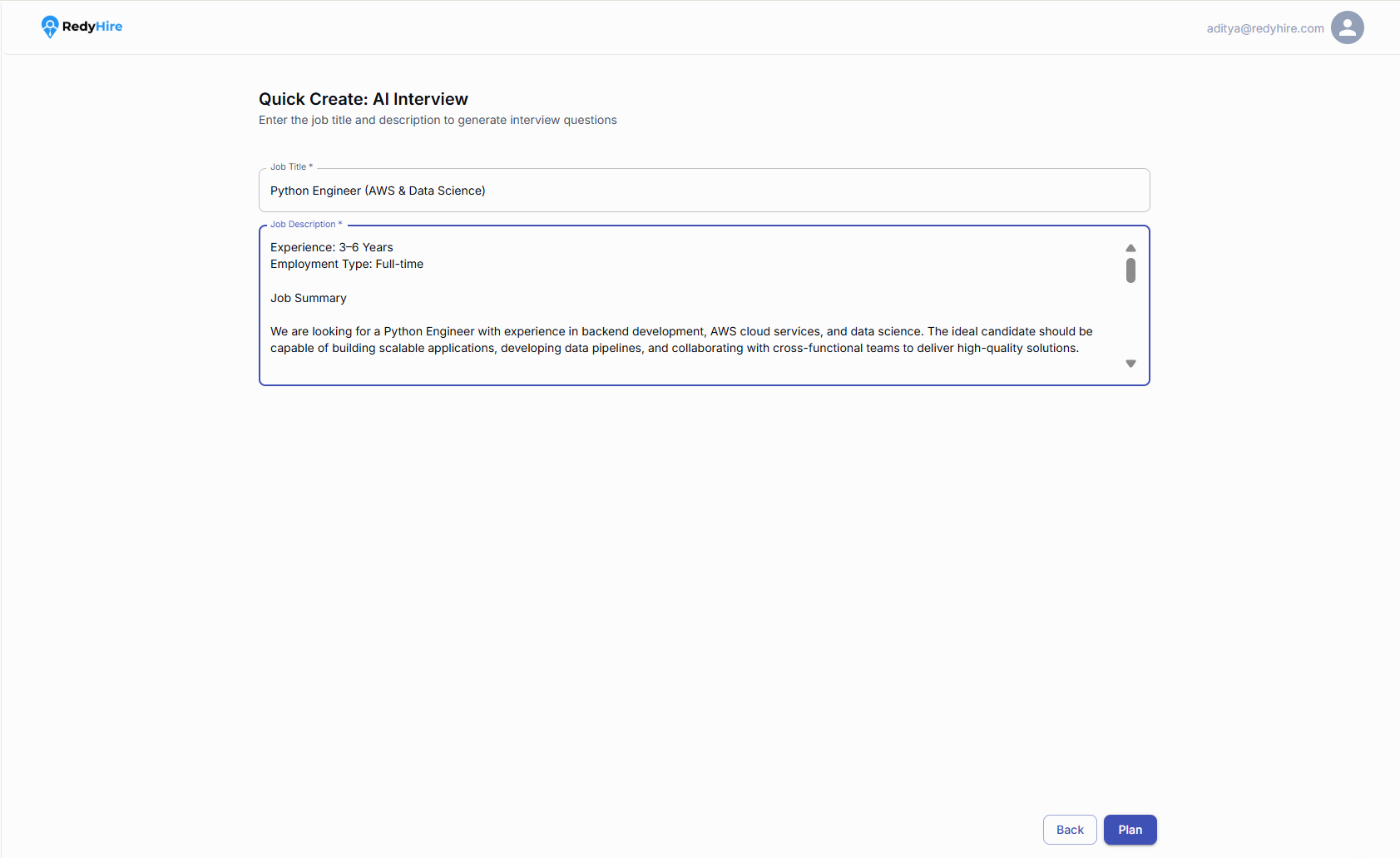
Enter the role or job title.
Paste the job description, then select Plan to continue.
Review the interview plan
Review the experience level and generated topics. Remove or adjust topics to match the role, then select Create L1 AI Interview.
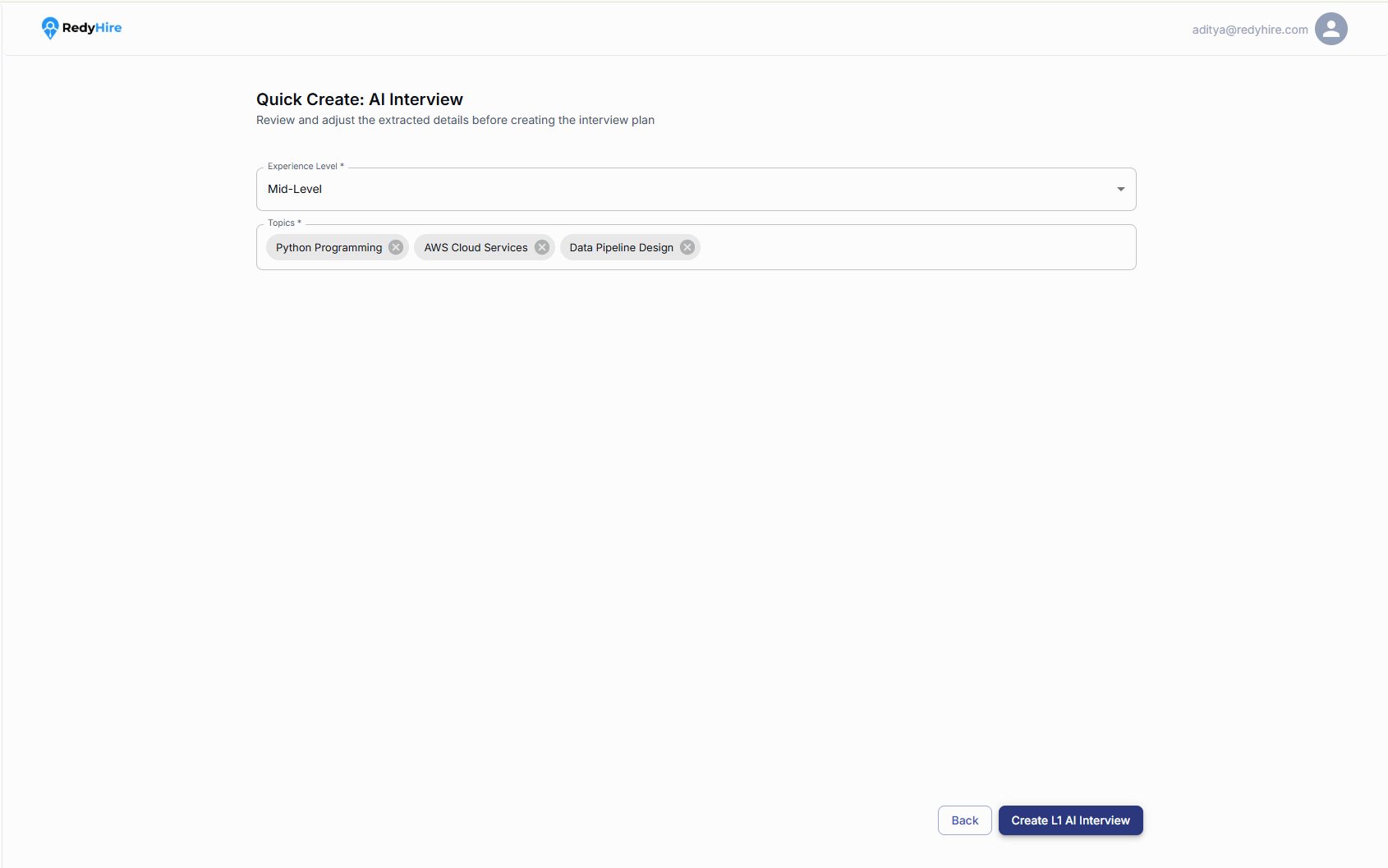
Confirm the experience level for the role.
Review the generated topics and adjust them if needed.
Select Create L1 AI Interview to generate the interview.
Review the generated interview
Review the duration, total marks, competencies, questions, and evaluation guidance before saving the interview.
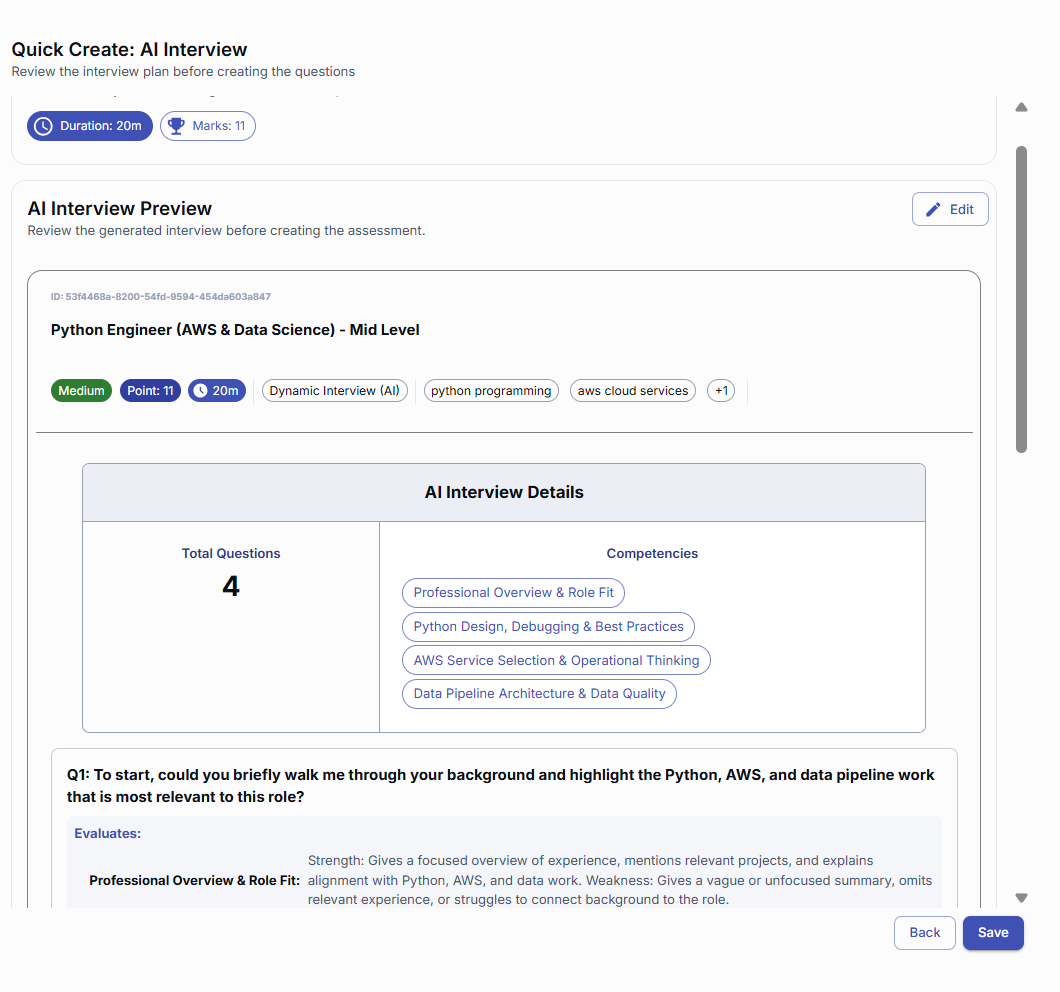
Review the interview duration and total marks.
Review the competencies and generated questions before saving.
Save the interview
After reviewing the generated questions and evaluation criteria, select Save to create the AI interview.
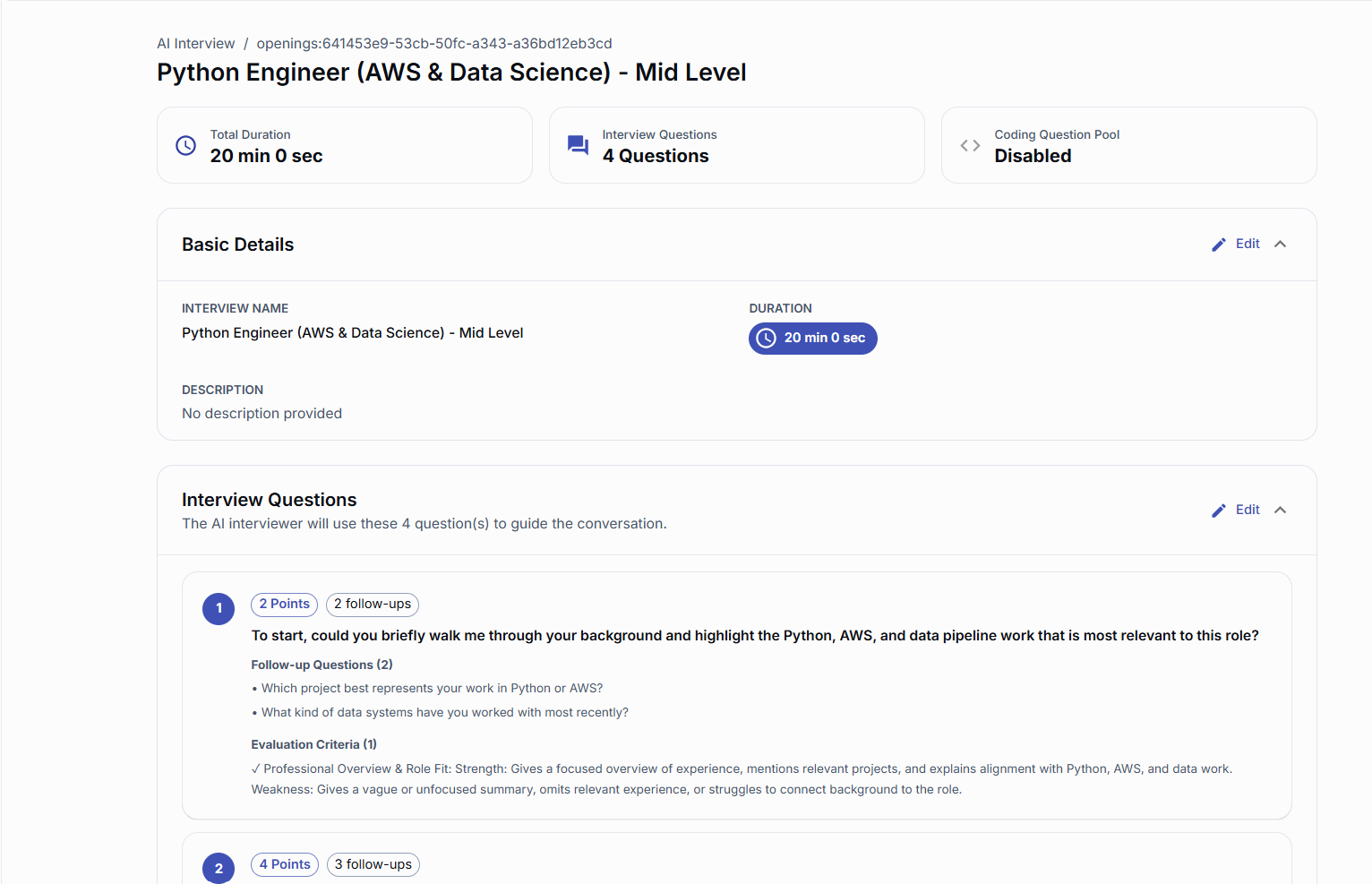
Confirm the interview name, duration, question count, and coding status.
Review the generated questions and follow-ups before using the interview.
Build a coding-focused AI interview
Use Coding Interview to evaluate candidates’ coding skills through a focused coding interview.
Enter the coding interview details
Enter the interview name, choose the time limit, and select whether candidates will code with or without a compiler.
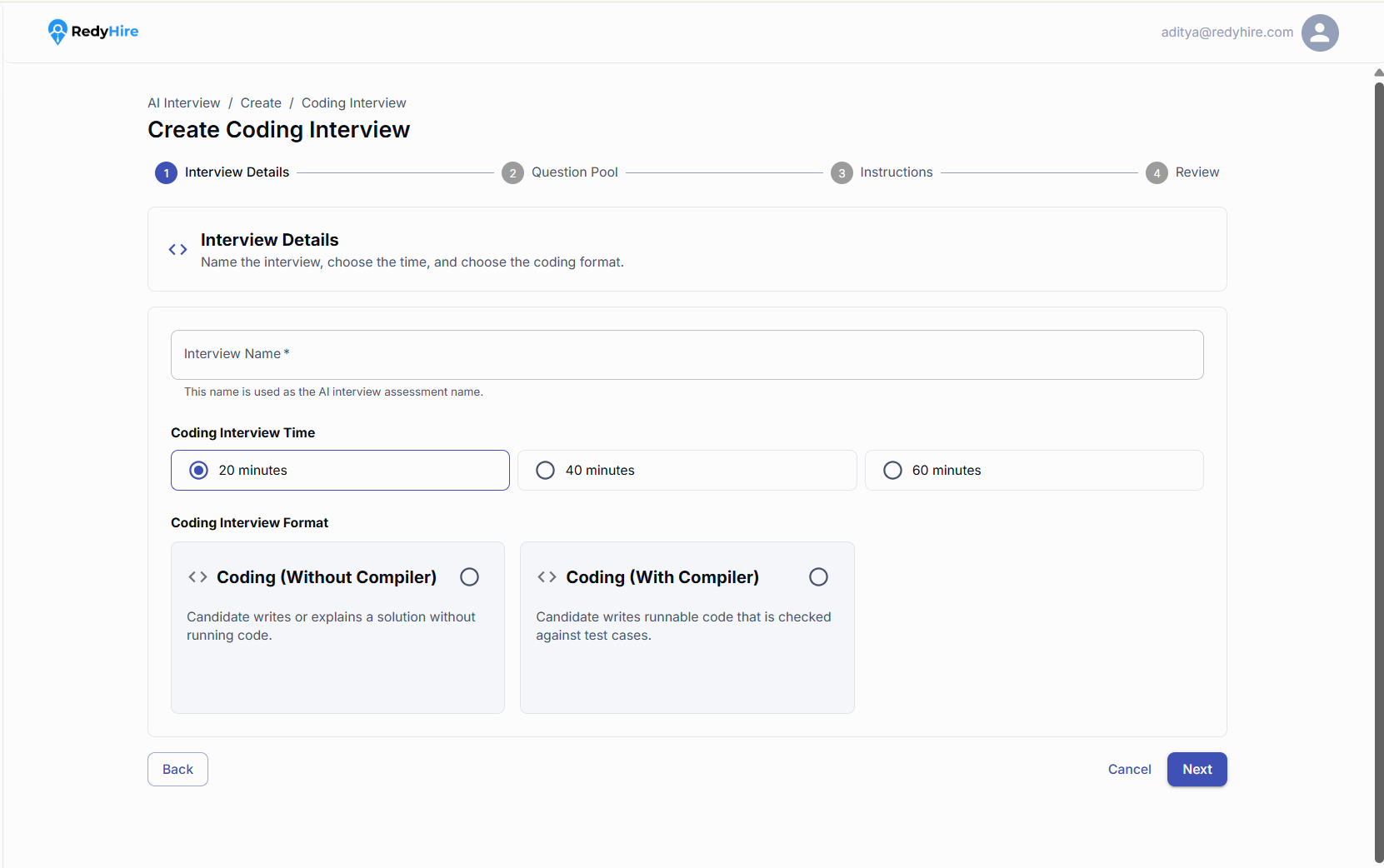
Enter a name for the coding interview.
Choose the time limit and coding format candidates will use.
Choose the coding format
Choose Coding Without Compiler for explanation-based responses, or Coding With Compiler to evaluate runnable code against test cases.
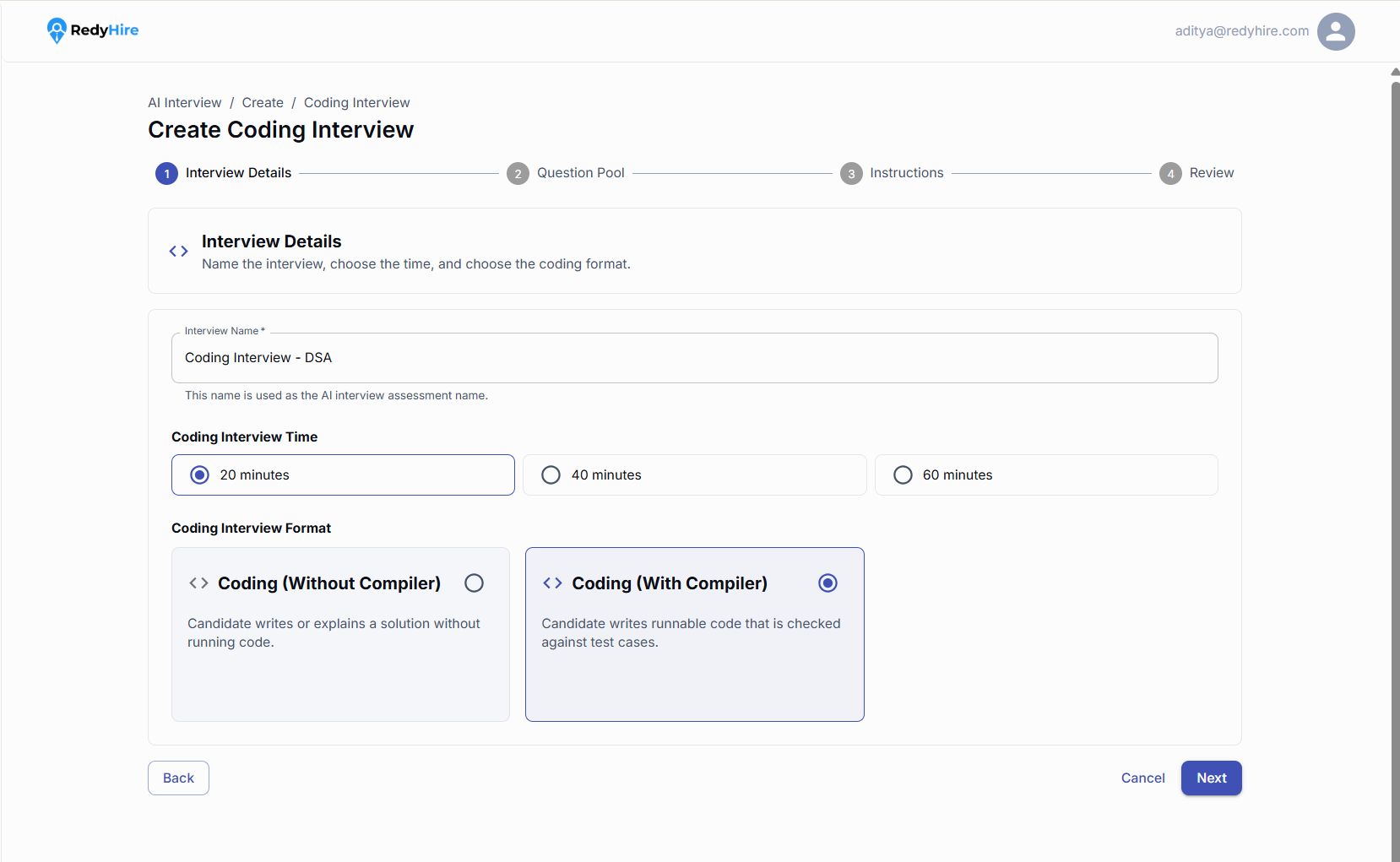
Select Coding Without Compiler for reasoning-focused coding responses.
Select Coding With Compiler when candidates should submit runnable code.
Choose a question source
Choose the RedyHire Library for ready-to-use coding questions, or your own question bank for organization-specific questions.
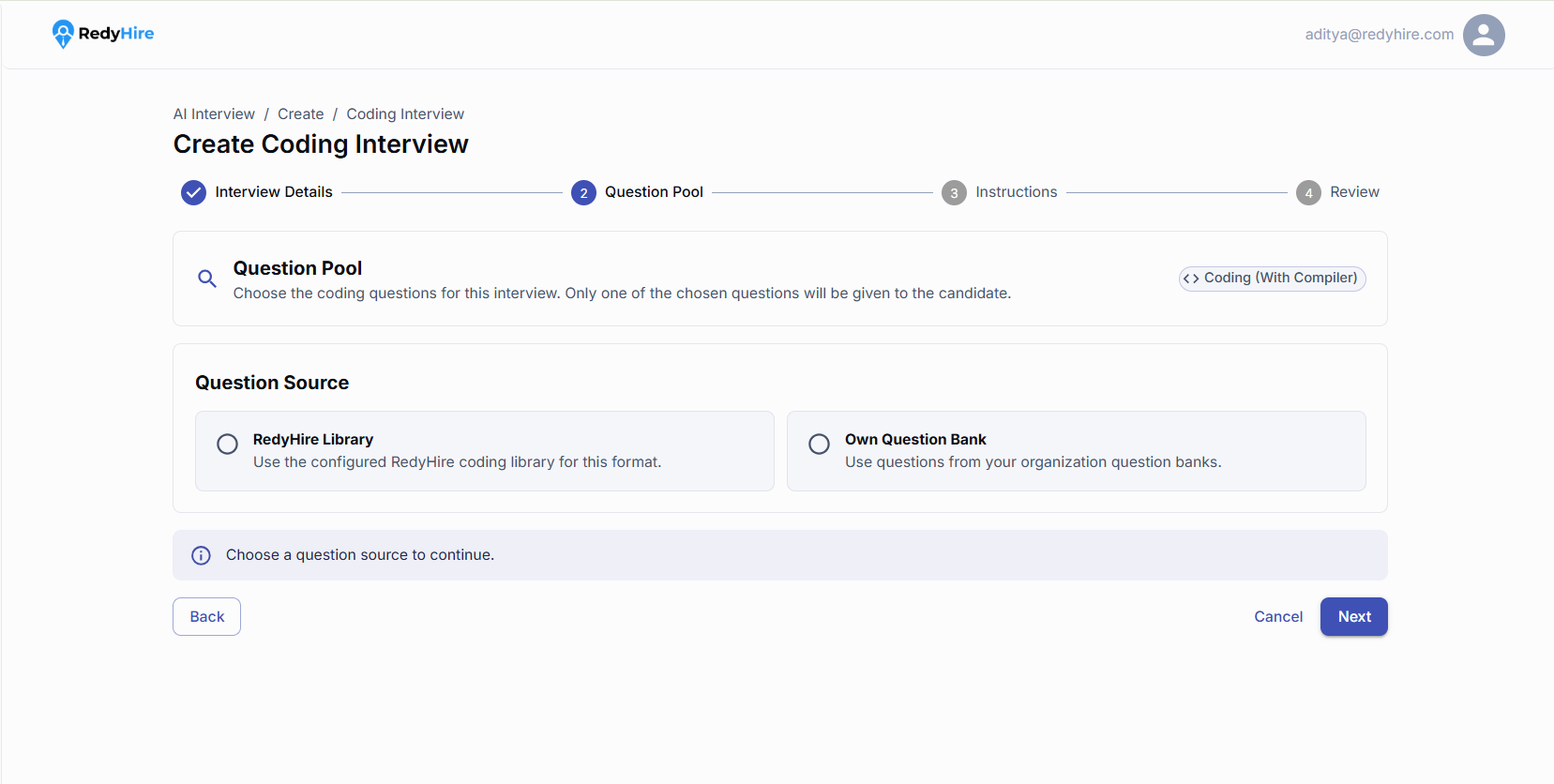
Select the RedyHire Library or your own question bank.
Choose a source before continuing to the question pool.
Filter and select coding questions
Use filters to narrow the question list, then select multiple questions. Each candidate receives one randomly assigned question from the selected pool.
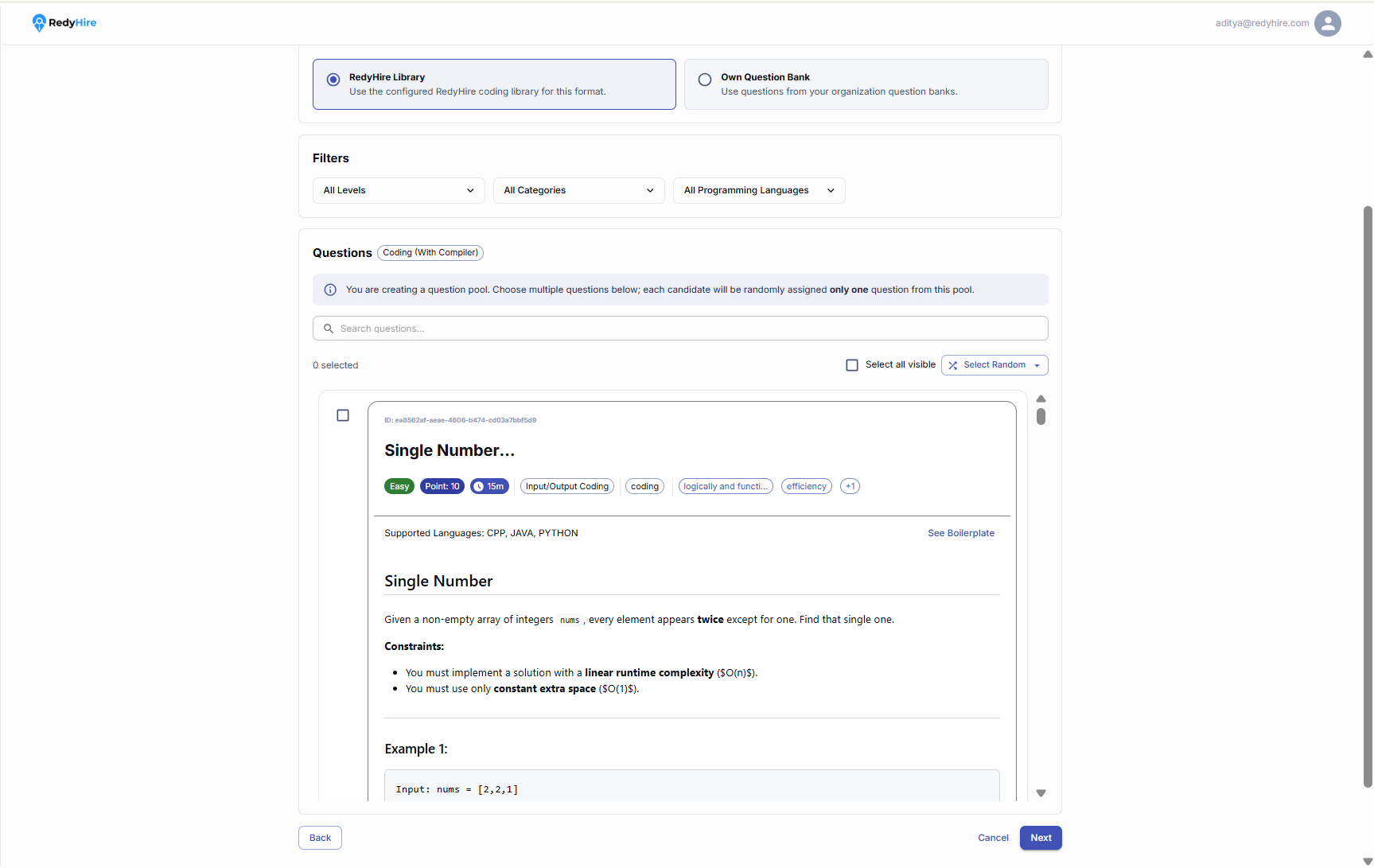
Filter questions by level, category, or programming language.
Select multiple questions to create a randomized question pool for candidates.
Review and create the coding interview
Review the selected question pool, time limit, coding format, source, and instructions. Select Create AI Interview when everything is ready.
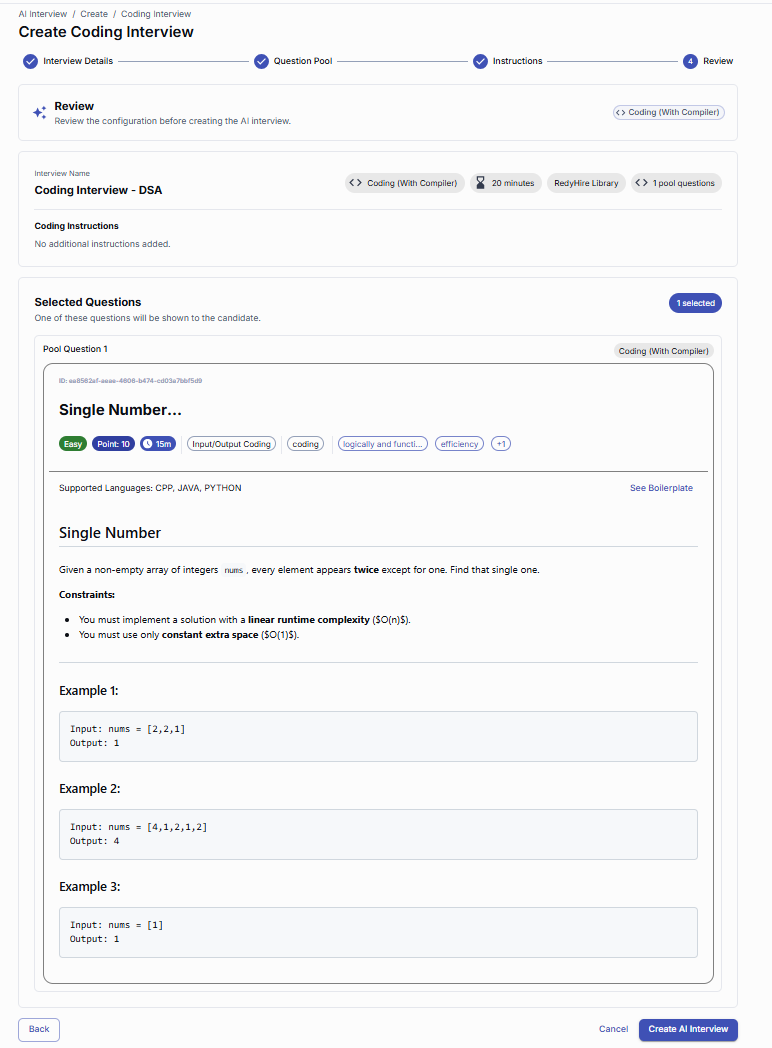
Confirm the interview details, question source, and selected question pool.
Select Create AI Interview to save the coding interview.
Build a custom interview question by question
Use Manual Create when you need complete control over questions, follow-ups, scoring weights, and evaluation criteria.
Set the interview basics
Complete the basic interview settings and choose the duration. Manual Create gives you complete control over every question and evaluation criterion.
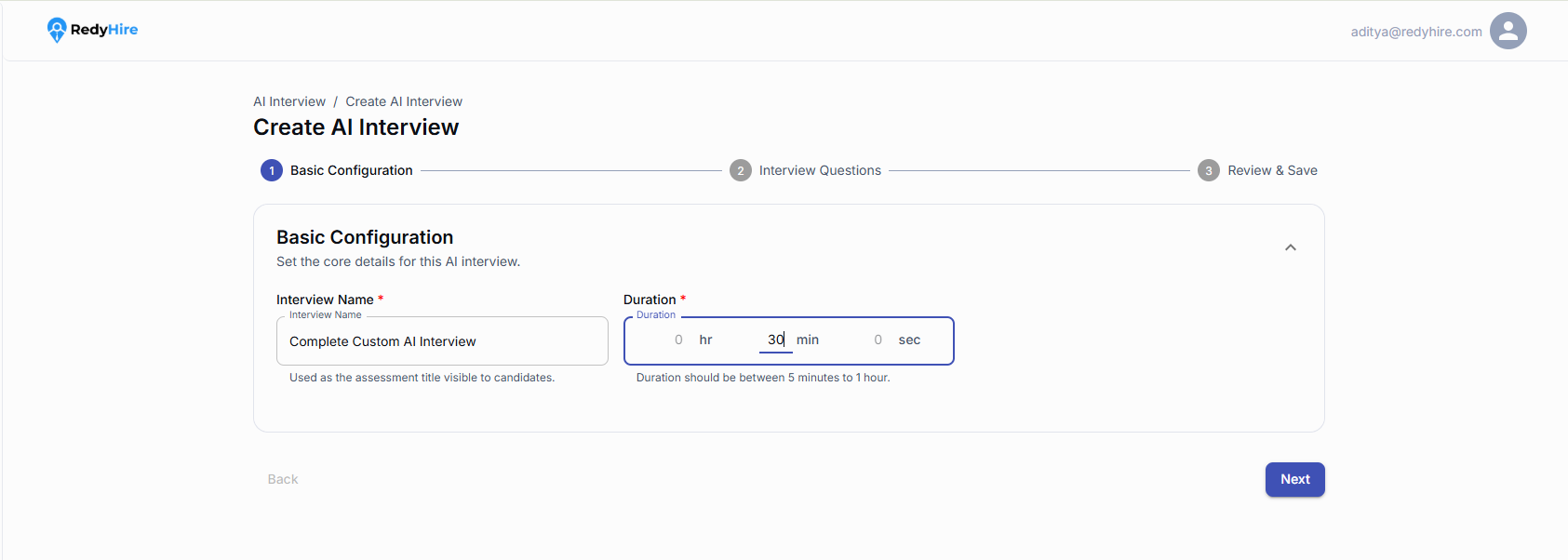
Complete the basic interview details.
Set a duration between 5 minutes and 1 hour.
Add interview questions
Add the questions the AI will ask during the interview. Enable Coding Questions only when you want to include a separate coding question pool.
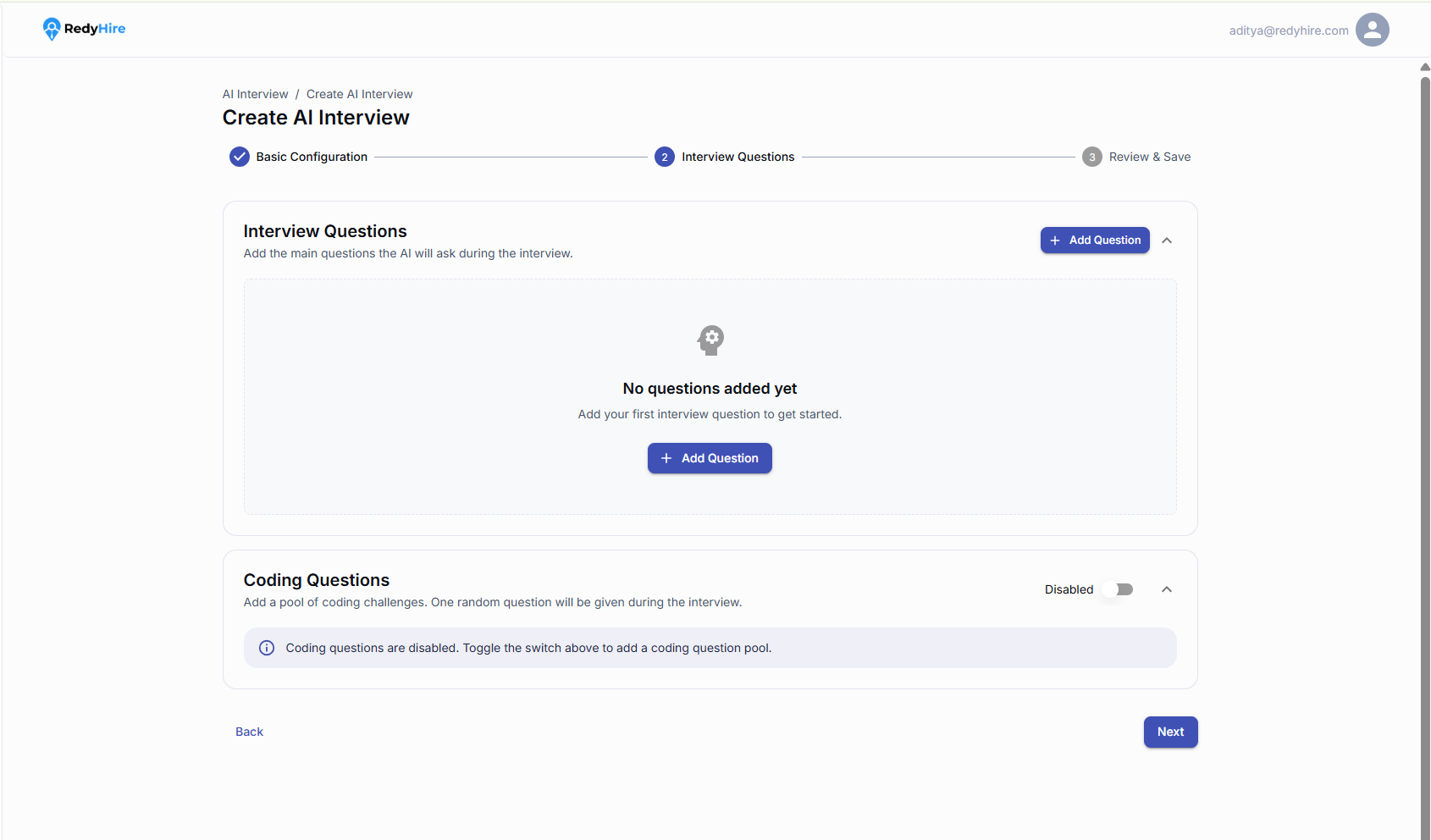
Select Add Question to create the first conversational question.
Enable Coding Questions only when the interview should include a coding pool.
Add a question and evaluation criteria
Write the question, add optional follow-ups, set its scoring weight, and define the evaluation criteria.
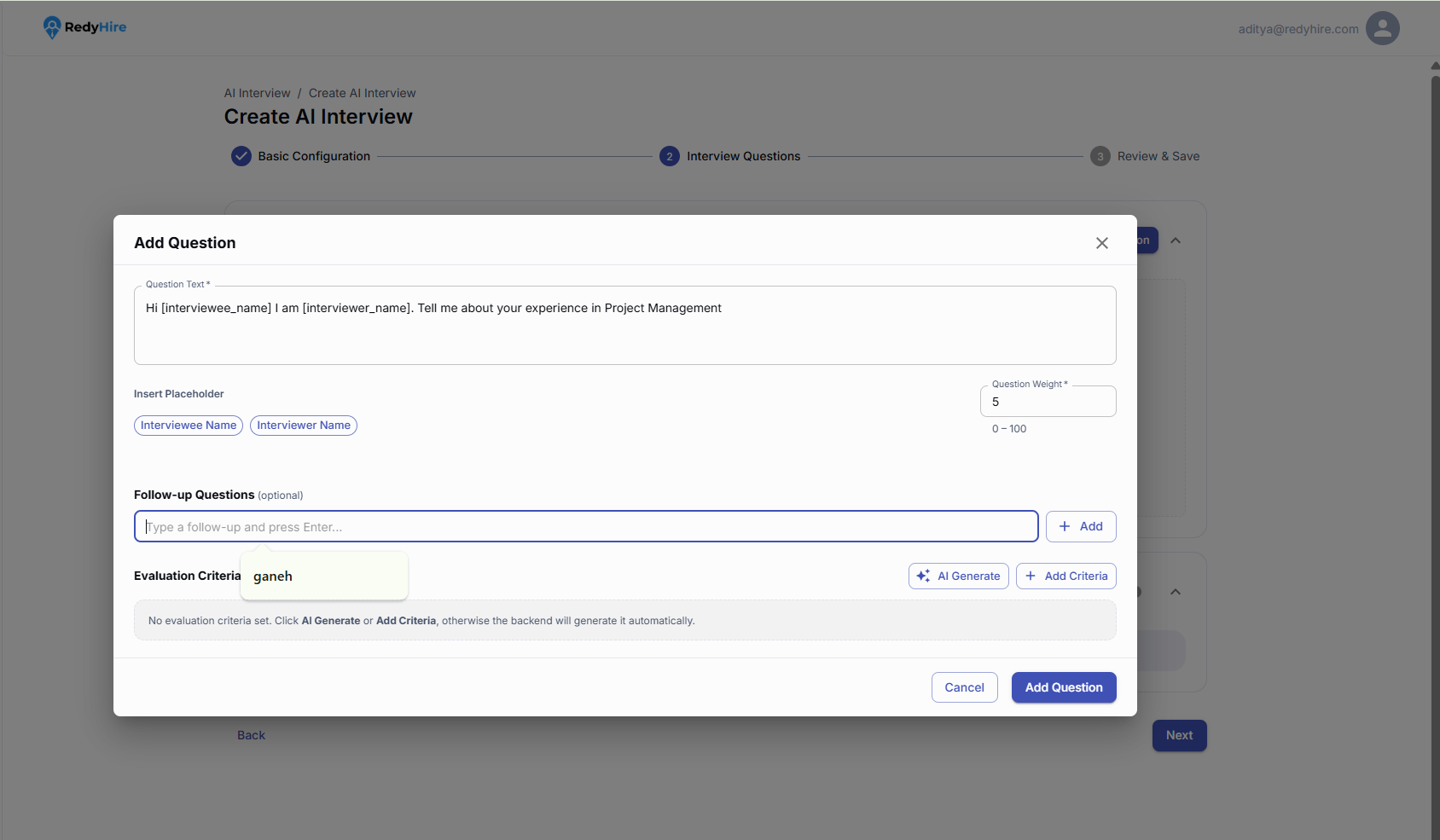
Write the main question and insert candidate or interviewer placeholders when useful.
Add follow-ups, a question weight, and evaluation criteria before selecting Add Question.
Review the added question
Review the question wording, scoring weight, and evaluation criteria. Add more questions to complete the interview.
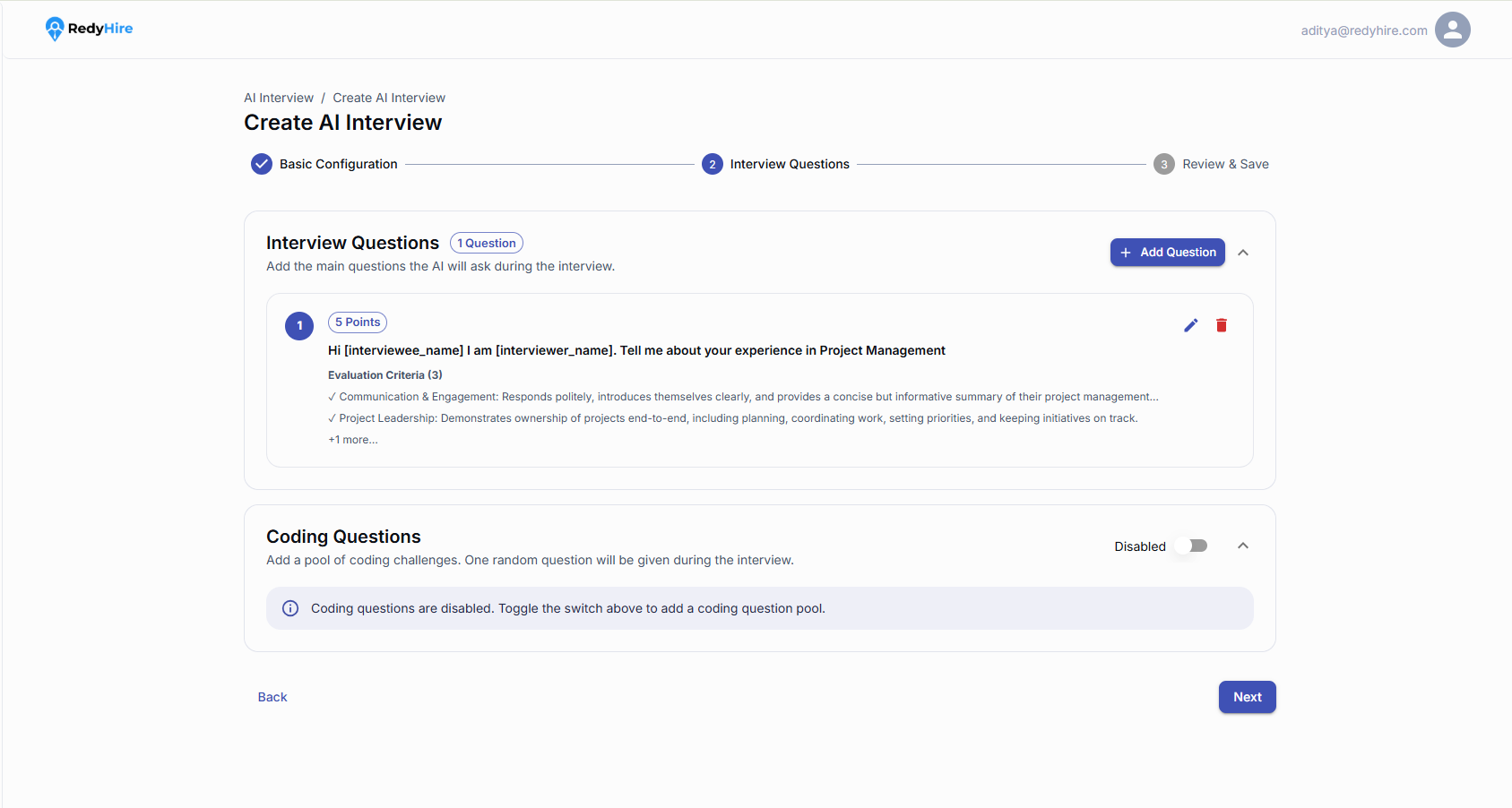
Review the question and evaluation criteria shown on the question card.
Use Add Question to continue building the interview.
Review and create the interview
Review the interview details, questions, follow-ups, and evaluation criteria. Select Create AI Interview when everything is ready.
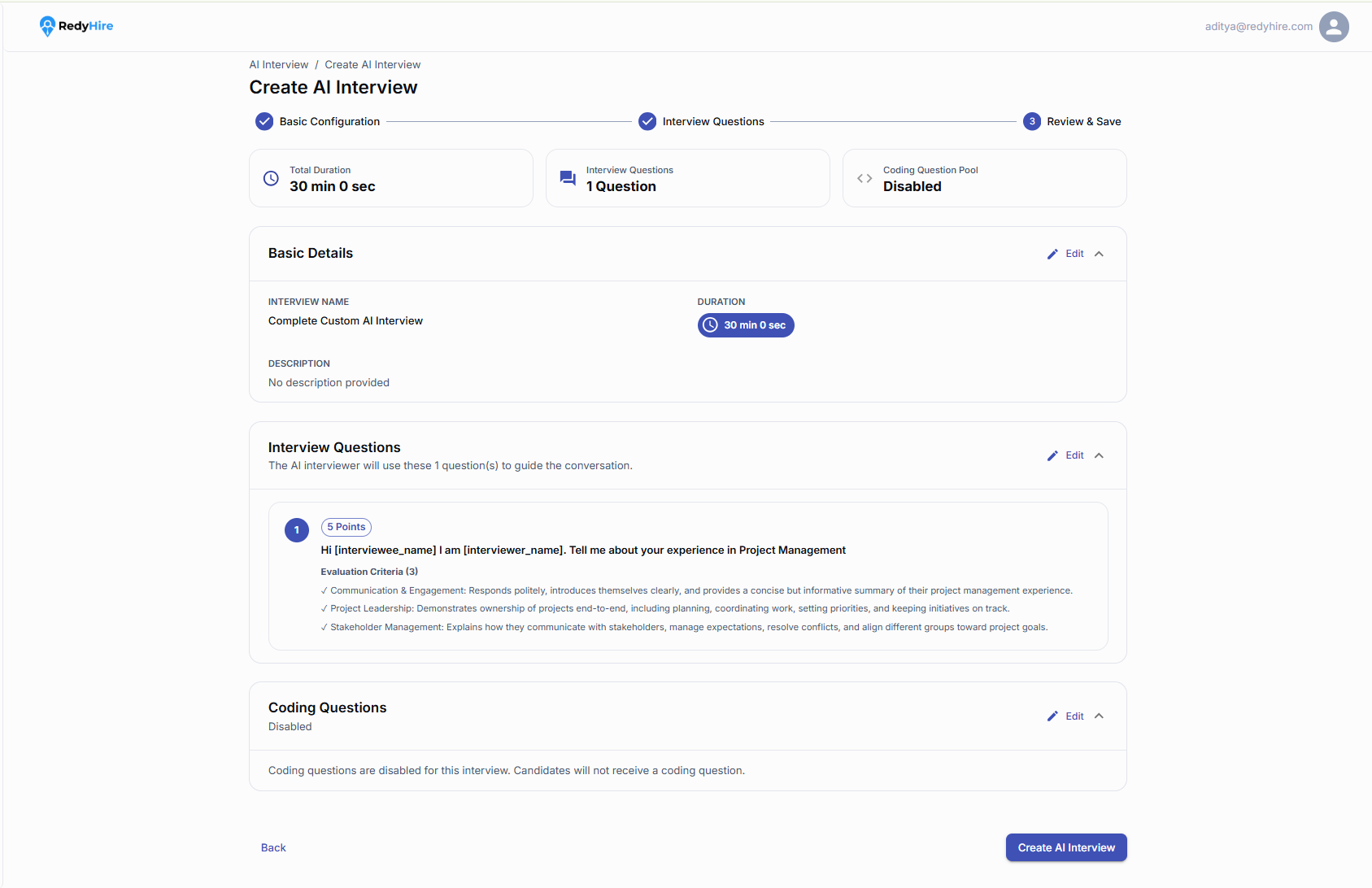
Confirm the total duration, question count, and coding question status.
Select Create AI Interview after reviewing the full configuration.
Quick checklist before you create
Choose the creation path that matches the level of control your team needs.
Review the generated questions and competencies before saving a Quick Create interview.
Use follow-up questions and evaluation criteria to keep manual interviews consistent.
For coding interviews, choose questions that match the role and required programming language.
Keep exploring
Learn about AI Interviews
See how RedyHire uses role-based AI interviews to evaluate candidates consistently.
Learn about skill assessments
Combine AI interviews with structured assessments for a more complete evaluation process.
Explore Product FAQs for AI interviews
Find buyer and operational answers about AI interview creation, coding rounds, scoring, and candidate evidence.
Contact RedyHire support
If something does not work while creating an interview, contact support right away.
support@redyhire.com